
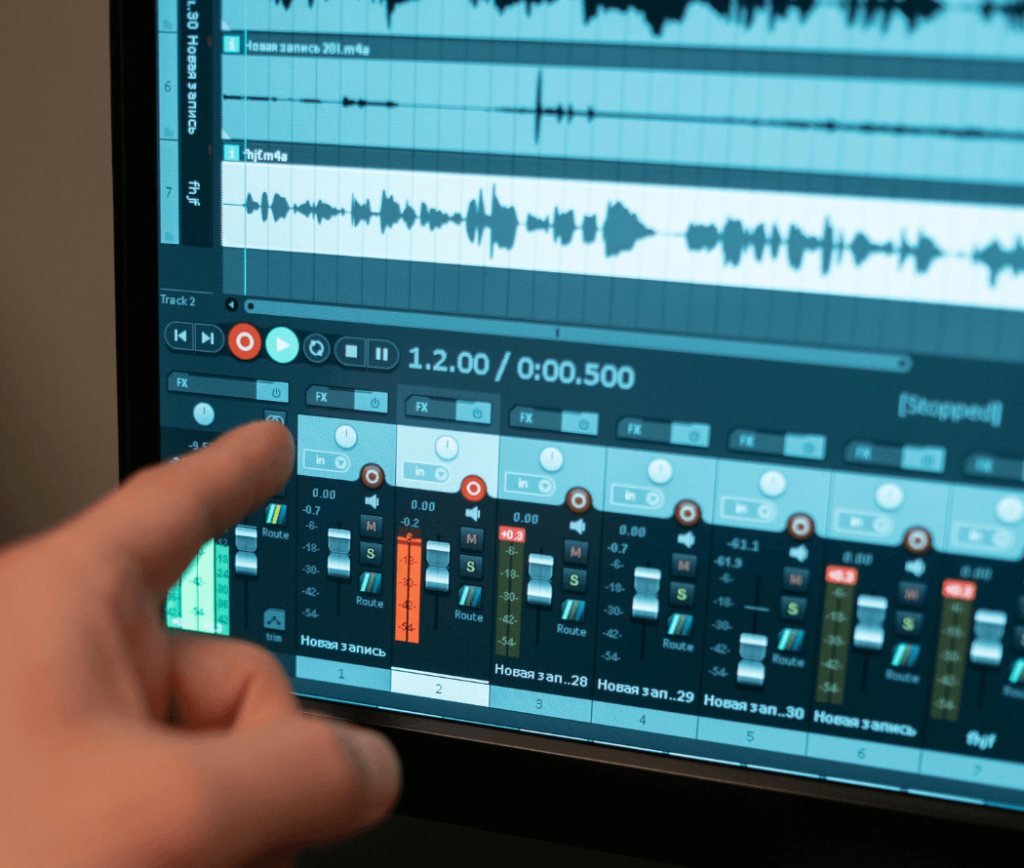
Online soundboard vs desktop soundboard: find the best option for your needs. Explore features, pros, and performance with memesound in this guide.
Introduction:
If you create content, stream games, or produce videos, you’ve probably come across soundboards. They make it easy to trigger meme sounds, reaction audio, and effects instantly. But one common question many creators have is:
Should you use an online soundboard or a desktop soundboard?
Both options have their advantages, and the right choice depends on your needs, workflow, and experience level. In this guide, we’ll break down the online soundboard vs desktop soundboard comparison in a simple, practical way so you can choose what works best for you.
What Is a Soundboard?
A soundboard is a tool that lets you play audio clips instantly with a click or shortcut. These clips can include:
- Meme sounds
- Voice lines
- Reaction audio
- Alert sounds
- Background effects
Soundboards are widely used by:
- Streamers
- YouTubers
- Gamers
- Content creators
Now, let’s understand the two main types.
What Is an Online Soundboard?
An online soundboard is a web-based tool that works directly in your browser. You don’t need to install anything.
For example, platforms like memesound allow you to:
- Instantly play sound effects online
- Access a variety of meme sounds
- Use audio without downloading files
This makes it ideal for quick and simple usage.
What Is a Desktop Soundboard?
A desktop soundboard is software that you install on your computer. It usually offers more control and customization.
With desktop tools, you can:
- Upload your own audio files
- Assign hotkeys
- Integrate with streaming software
- Customize sound triggers
These are commonly used by advanced streamers and professionals.
Online Soundboard vs Desktop Soundboard: Key Differences
Let’s compare both options side by side in detail so you can clearly understand which one fits your needs better.
1. Ease of Use
Online Soundboard:
Online soundboards are designed for simplicity. You don’t need any technical knowledge—just open the website, click on a sound, and it plays instantly. The interface is usually clean and beginner-friendly, making it perfect for quick usage.
Desktop Soundboard:
Desktop soundboards can be more complex. You often need to install software, understand settings, and configure controls. For beginners, this can feel overwhelming at first.
Winner: Online soundboard
Best for users who want a quick and simple experience.
2. Setup and Installation
Online Soundboard:
There is no setup required. You don’t need to download or install anything. Tools like memesound allow you to instantly start using sounds directly in your browser.
Desktop Soundboard:
You need to download and install the software. After that, you may also need to configure audio settings, add sound files, and sometimes integrate it with streaming software.
Winner: Online soundboard
Perfect for users who want to save time and avoid technical setup.
3. Accessibility
Online Soundboard:
You can access it from any device-laptop, PC, or even mobile-as long as you have an internet connection. This makes it highly flexible and convenient.
Desktop Soundboard:
It only works on the device where it is installed. If you switch systems, you’ll need to set everything up again.
Winner: Online soundboard
Ideal for creators who work across multiple devices.
4. Customization
Online Soundboard:
Most online soundboards offer basic features. You can play sounds easily, but options like custom uploads, advanced controls, or hotkeys are limited.
Desktop Soundboard:
Desktop tools provide full control. You can upload your own audio files, assign keyboard shortcuts, adjust volume levels, and integrate with streaming software for a personalized setup.
Winner: Desktop soundboard
Best for advanced users who want full control over their audio.
5. Performance
Online Soundboard:
Performance depends on your internet connection and browser. If your internet is slow, there may be slight delays in playing sounds.
Desktop Soundboard:
Since everything runs locally on your system, performance is faster and more stable. There’s minimal delay, which is important for live streaming.
Winner: Desktop soundboard
Better choice for real-time performance and professional use.
6. Use Case
Online Soundboard:
Best suited for:
- Beginners
- Casual users
- Quick sound playback
- Social media creators
It’s perfect if you just want to play sound effects online without spending time on setup.
Desktop Soundboard:
Best suited for:
- Professional streamers
- Advanced users
- Custom audio setups
- Live streaming with hotkeys
Winner: Depends on user
Choose based on your experience level and needs.
7. Cost
Online Soundboard:
Most online tools are free or offer basic features at no cost. This makes them accessible for beginners and budget creators.
Desktop Soundboard:
Some desktop tools are free, but advanced software may require a one-time purchase or subscription.
Winner: Online soundboard
Great option if you want a cost-effective solution.
Pros and Cons
Online Soundboard
Pros:
- Easy to use
- No installation required
- Quick access to sounds
- Beginner-friendly
Cons:
- Limited customization
- Requires internet connection
- Less control
Desktop Soundboard
Pros:
- Full control over audio
- Advanced customization
- Works offline
- Better for professional use
Cons:
- Requires setup
- Can be complex
- Less portable
Which One Should You Choose?
The answer depends on your needs.
Choose an Online Soundboard If:
- You want something simple and fast
- You don’t want to install software
- You are a beginner
- You need quick access to meme sounds
Platforms like memesound are perfect for this use case. You can instantly explore and play sound effects online without any technical setup.
Choose a Desktop Soundboard If:
- You need advanced features
- You want full control over audio
- You use hotkeys during streaming
- You are a professional streamer
How Memesound Fits Into This Comparison
When it comes to online soundboards, memesound stands out as a practical solution.
It offers:
- Easy access to meme sounds
- Instant playback
- No downloads required
- Simple interface
For creators who want a quick and effective way to use sound effects, memesound works as a reliable soundboard website.
Real-World Use Cases
Let’s see how different creators can use these tools.
Streamers
- Use desktop soundboards for hotkeys
- Use memesound for quick meme reactions
YouTubers
- Use online soundboards to test sounds
- Add audio during editing
Social Media Creators
- Use online tools for fast content creation
- Focus on trending meme sounds
Tips to Get the Best Results
No matter which option you choose, keep these tips in mind:
Use Sounds Strategically
Don’t overuse sound effects.
Focus on Timing
The right timing increases impact.
Match the Content
Choose sounds that fit your video or stream.
Keep It Simple
Avoid unnecessary complexity.
Common Mistakes to Avoid
- Using too many sound effects
- Poor timing
- Choosing irrelevant audio
- Ignoring audience feedback
Fixing these can improve your content quality.
The Future of Soundboards
Soundboards are becoming more important as content becomes more interactive.
We are seeing:
- Growth of meme-based content
- Increased use in live streaming
- More browser-based tools
Online soundboards are becoming more popular because of their simplicity and accessibility.
Conclusion
The online soundboard vs desktop soundboard debate doesn’t have a single answer-it depends on your needs.
- If you want simplicity and speed → go for an online soundboard
- If you want control and customization → choose a desktop soundboard
For most beginners and casual creators, an online tool like memesound is more than enough to get started.
As you grow, you can always switch to more advanced tools if needed.
FAQ
1. What is the difference between online and desktop soundboards?
Online soundboards run in a browser, while desktop soundboards are installed with software.
2. Which is better for beginners?
Online soundboards are easier to use and better for beginners.
3. Do online soundboards require the internet?
Yes, they need an internet connection.
4. Can I use memesound for streaming?
Yes, you can use it to play sound effects instantly.
5. Are desktop soundboards better for professionals?
Yes, they offer more control and customization.


